Migrating Bots to a New Mac: launchd, State Files and the Wrong Mac
The checklist we used to move 17 always-on bots to a shared Mac mini as a LaunchDaemon, the timeline of the day, and the laptop we installed on by mistake.
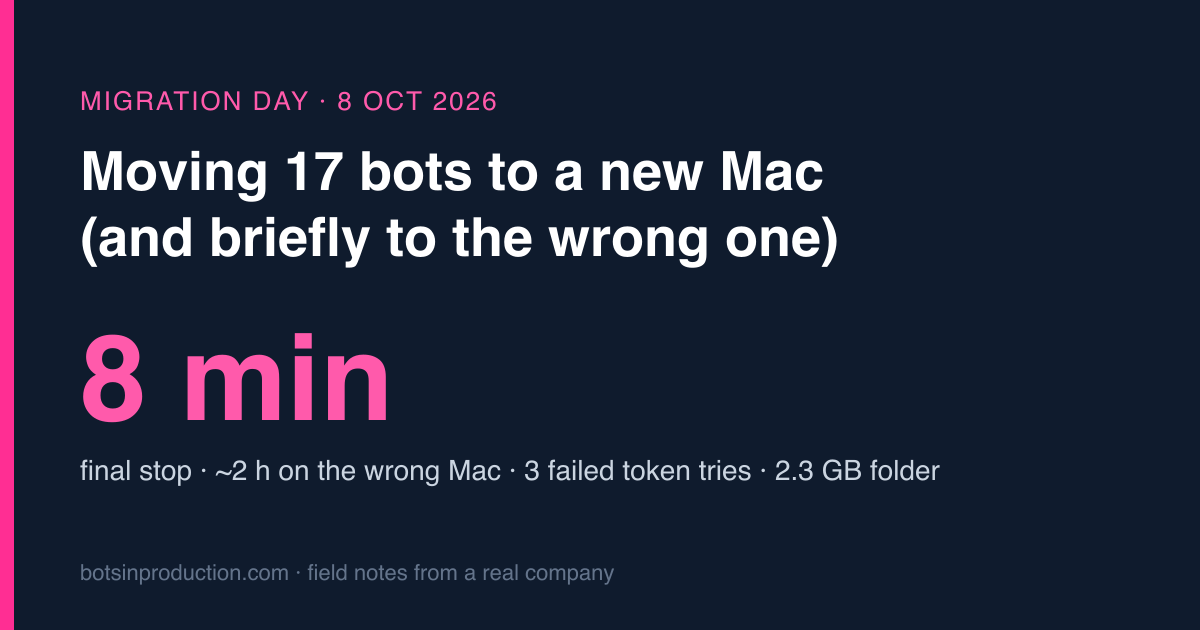
On 8 October we moved every bot we run, 17 of them in one Python process, from my laptop to a Mac mini in the office. This post is the checklist we used, the actual timeline of the day with the times from the runbook, and the five things that went wrong. The best of the five: for about two hours, production ran on a MacBook Pro that happened to be sitting next to the Mac mini, because I trusted a host name instead of asking the machine what it was.
I wrote a shorter version of the checklist in the launchd vs Docker post. This is the long one, with the parts that hurt.
The constraint that shaped everything: it’s a shared Mac
The Mac mini isn’t ours. It sits on someone else’s desk and several people log into it. That ruled out the obvious tool on day one.
- No Migration Assistant. It copies a whole account: keychain, browser profiles, the messaging app, personal files. On a machine other people use, that’s not a migration, it’s a leak.
- An empty standard user for the bots. We created one user, copied only the bot folder into it over SSH (about 2.3 GB), and locked the folder to
700so other accounts can’t open it. An admin still can, which is fine; that’s what admins are for. - A LaunchDaemon, not a LaunchAgent. On the laptop the bots ran as a LaunchAgent, which needs a logged-in user. On a shared machine nobody is reliably logged in as the bot user, so the process is now a system service that runs as that user, whoever is at the keyboard and after every reboot. No auto-login needed.
- The Claude CLI can’t use the keychain from a daemon. Three bots call
claude -p(summaries, photos, the error watcher). Under a system service there is no unlocked login keychain, so they authenticate with a long-lived token in.envinstead. It lasts about a year. The daily health check starts warning 30 days before it expires, because “every bot that uses a model stopped at the same second” is exactly what an expired token looks like.
What has to move, and what happens if it doesn’t
Code is the easy part. These are the things that aren’t in git, measured when we wrote the runbook in September:
| What | Size then | If you forget it |
|---|---|---|
.env and the service-account key |
tiny | Nothing starts. At least that’s loud. |
| State files (which chats are done, which cards were posted) | small | The bots re-read a month of old chats and post every approval card again. Quiet and embarrassing. |
| The claims database | 112 MB | The support bot forgets every claim it wrote. |
| Claim photos | 230 MB | Reused-photo detection starts from zero. |
| Raw data from a public price API | 173 MB | The API only serves the last 30 days. Older data is gone forever. |
| launchd plists | — | Don’t copy them. They contain absolute paths. Regenerate from templates. |
The last row is a rule in disguise: copy data, regenerate configuration.
Rule one: the old machine goes down first
This is the rule in capital letters in the runbook, and it’s there because of 2 September. That day two processes were running with the same Slack app token in Socket Mode. Slack doesn’t broadcast events to every connection; it splits them. Half the slash commands and half the button clicks went to a process that didn’t handle them, and vanished without an error. Nothing in either log said anything was wrong. People just clicked buttons that did nothing, twice as often as usual.
So now there are two guards:
stop-here.shon the old machine unloads every plist, moves them to adisabled/folder, and refuses to finish while any bot process is still alive.- The development laptop has a file,
deploy/server.conf, holding the server’s address. If that file exists,app.pyrefuses to start. The laptop can no longer accidentally become a second server.
Zero overlap. A few minutes of nobody answering is fine. Half of everybody silently not answering is not.
The day, with times
| Time | What happened |
|---|---|
| 11:44–12:00 | Token renewal script failed three times. The token is printed across two lines and the terminal window I was using broke it when copying. Fourth try worked after the script was changed to read the token off the screen itself, in a 250-column session, so nobody copies anything. |
| 12:02 | Laptop bots down. Downtime starts. |
| 12:07–12:14 | Copied and installed on the wrong Mac. More below. |
| 12:10 | Permission denied (13) during install. The admin ran sudo from their own home folder; the step that runs as the bot user then couldn’t enter that folder. The script now cds into the repo before doing anything. |
| — | ssh: No route to host. The .local name resolved to an IPv6 link-local address first. One line in ~/.ssh/config: AddressFamily inet. |
| 14:22 | Bots removed from the wrong Mac. Its latest folder relayed to the right one. |
| 14:27–14:30 | Installed on the real Mac mini. Regression check passed. Final stop: about 8 minutes. |
| afternoon | Wrong Mac cleaned up: power settings restored, bot user and its home deleted, remote login switched off. |
The wrong Mac
The checklist said “SSH to hostname.local”. There were two Macs on that desk. I had the name of one from a conversation, it answered, it accepted the install, and for roughly two hours the bots ran on a MacBook Pro. From the outside, nobody noticed. That’s the insulting part: nothing failed. The commit that added the guard below is timestamped 12:48, so it took about half an hour to spot, and the fix went in before the bots moved off it.
The fix isn’t “be more careful”. It’s making the scripts ask the machine:
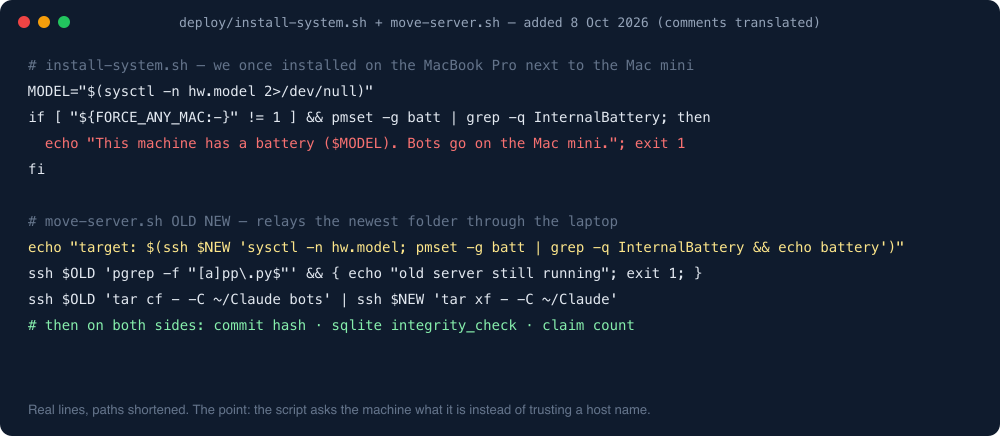
install-system.shchecks for an internal battery and refuses on anything that has one. A server with a battery is a laptop wearing a disguise.move-server.sh, which moves the bots from one server to another, first prints the target’s model and whether it has a battery, refuses if the old server still has a bot process running, refuses if the target already has a bot folder, and finishes by printing the commit hash, database integrity check and claim count on both sides so you can see they match.- The project notes for Claude now start with: when you connect to a new machine, run
sysctl hw.modelbefore anything else.
Because the wrong Mac had been production for two hours, its folder was the newest copy of everything. move-server.sh relays it through the laptop (old server → laptop → new server) instead of copying the stale laptop folder again. Otherwise we’d have lost two hours of state, which is precisely the bug from the table above.
How we knew it worked
One slash command with a known answer. There’s a monthly statement for one customer that must come out as 160 lines and a total I can recite. Run the command, check both numbers, don’t press approve. If the bot can reach Slack, the database, the reporting API and the spreadsheet code, those two numbers come out right. If anything is wrong, they don’t, or nothing comes back at all.
It’s a better check than “the process is running”, which on 2 September was also true.
Living with it afterwards
The Mac mini is now a box we don’t touch. All fixing happens on the laptop:
pull.sh --databrings the server’s latest commits plus a read-only snapshot of the database, log and state files (about 120 MB, a few seconds).- Anything that changes live data runs on the server through
srv.sh '<command>'. Editing the laptop’s copy changes nothing and gets overwritten by the next pull. push.shcommits, pushes straight to the server, and restarts only if something that needs a restart changed. It stops if the server has uncommitted changes, because that means someone’s in there.- Claude’s scheduled tasks stayed on the laptop. They need the desktop app, and the shared machine isn’t the place for that. Right after the move I ran each one once by hand so its new permissions were approved before the first 3 a.m. run, instead of during it.
The checklist
- Day before, on the new machine: confirm the model in “About This Mac”. Create an empty standard user. Turn on remote login for that user only. Install the developer tools.
- Day before, on the laptop: renew the CLI token. Copy the SSH key. Don’t create the server config yet.
- Stop the old machine. Confirm no bot process is alive. Now write the server config.
- Copy the folder (data included, plists excluded). Compare commit hash and database integrity on both sides.
- Install as a system service, as the bot user, from inside the repo.
- Run the known-answer command. Check both numbers.
- Run every scheduled task once by hand.
- Write down what went wrong, while you still remember it as funny.
Total downtime for the last hop was eight minutes. The first hop is the one I’d rather not time.
One line from me
Eight minutes of downtime on the last hop, two hours on the wrong Mac before it. Check the model in About This Mac before you check anything else.
The everyday side of running on that Mac is in launchd vs Docker, and the laptop-side jobs that stayed behind are in scheduled tasks instead of cron.
More on this topic: the Cost & failure log guide, with every post in reading order.