Turning Closed Support Chats Into a Claims Log, Automatically
Before the bot, logging a customer complaint worked like this: a support agent finished the chat, opened the claims sheet, found the customer, found the product, typed fifteen cells, and moved on. Fifteen cells, dozens of times a day, by people whose actual job is talking to customers. Rows were late, rows were missing, and the “cause” column was whatever the agent remembered.
Now a bot does the first draft of every row. This post is how it works, what it gets wrong, and the rules that turned it from a demo into something the team trusts.
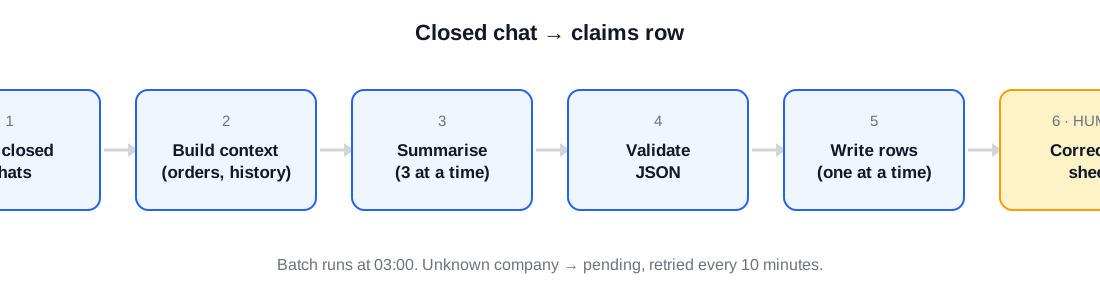
The pipeline
- Poll for closed chats. Our support tool is a chat platform with an API. We poll it instead of using webhooks, which deserves its own post; the short reason is that polling is restartable and webhooks are not.
- Build the context. For each closed chat, the bot pulls the transcript, the customer’s profile, their orders in the relevant window (and the previous 30 days if the window is empty), and the company’s most recent claim rows.
- Summarise. The transcript plus context goes to Claude with a strict system prompt. Three chats are summarised at once.
- Validate. The model’s JSON is checked: known cause category, product ids that exist in the order, at most eight items, amounts that parse.
- Write. Rows are written to the sheet one at a time. A Slack message tags the agent who handled the chat with what was written.
- Review. A human corrects anything wrong in the sheet. The bot never edits a row a human has touched.
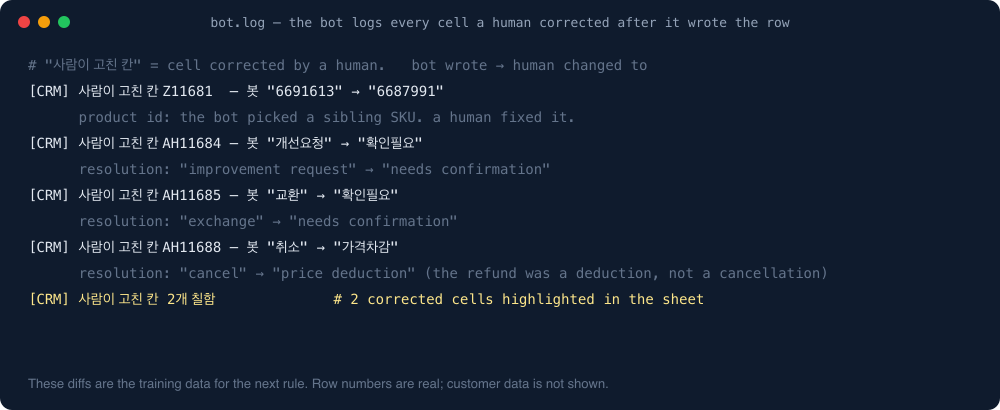
And the bot logs every cell a human changes afterwards. Those diffs are where the rules below come from:
The summariser prompt, in spirit
The system prompt asks for exactly these keys per claim: cause, detail, resolution, item, quantity, unit, quantity basis, delivery date, amount, note. Ten keys. If the model returns more than eight items, the result is discarded, because in practice that means it copied the order list instead of reading the complaint.
The two context additions that moved accuracy the most:
- The company’s recent claim rows. The model learns what “the usual” looks like for this customer, including how we’ve categorised their past claims.
- The order items. When a customer says “the tofu was bad”, the model needs to map that to a product id, and it can only do that if it sees what was ordered. We also compare phonetically, because transcribed phone calls spell product names however they sound.
The rules nobody tells you
Every one of these came from a real row that was wrong.
One row per product. A chat about three bad products is three rows, each with its own product id, not one row with a list.
“Not everything arrived” means a missing item, not a quality claim. Different cause, different supplier responsibility, different cost.
A zero-amount order is not a claim. When we ship a replacement, it appears as an order with a unit price of zero and a memo. The bot must skip those; they are the resolution of a claim, not a new one.
A failed exchange is a new row. If we sent a replacement and the replacement has the same defect, that’s a second claim, not an edit to the first.
Same product, different cause: separate claims. “It didn’t arrive” and “it arrived and was bad” for the same product id are two rows. We tried the broader rule “different cause means different claim” and it split 26 cases that should have stayed together, so the rule is specifically about missing-versus-quality.
A phone transcript can’t add products. If a transcribed call mentions a product that isn’t on any order, the bot does not create a row for it. A misheard word is far more likely than an unrecorded order.
Unknown company: wait, don’t guess. If the customer’s profile has no company name yet, the row goes to a pending list and is retried every ten minutes.
A reopened chat is a new entry. If a chat is reopened after the bot has logged it and a new complaint appears, that’s a new row keyed by the chat id plus the closing timestamp, so it can’t collide with the first.
“On hold” means literally snoozed. The bot writes “on hold” only when the support tool says the chat is snoozed. A chat that’s simply still open is “in progress”. Those words mean different things to the people reading the sheet.
Who’s responsible is a lookup, not a judgment. Wrong item or damaged in transit: logistics. Quality: the supplier. The model doesn’t decide that; the cause category does.
What goes to Slack
Every written row generates a short message that tags the agent who handled the chat and, for anything the bot wasn’t sure about, me. The message includes the chat link in one column and the bot’s name in another, so the sheet’s “note” column stays for humans.
Alerts about the bot itself (API errors, a chat it gave up on, a write that failed) go to my DM. Nowhere else.
When the bot shows a photo from the chat as evidence, it shows it once. We log which photos were displayed so the same image never gets re-attached to a later alert. That sounds trivial until an agent sees the same broken-box photo three times and stops looking.
The night it fell over
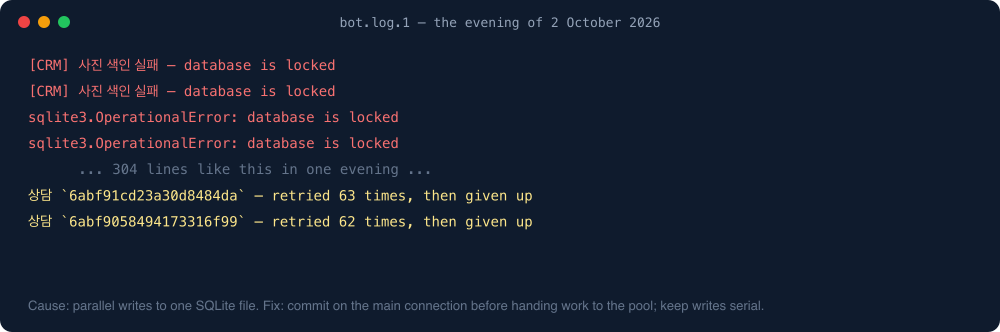
On the evening of 2 October the bot logged database is locked more than 300 times and gave up on seven chats. The cause was ordinary: I had let three summaries run in parallel and then let their sheet writes run in parallel too, and the local SQLite state file could not keep up. The fix was to commit on the main connection before handing work to the pool, and to keep writes serial. Nothing in the model changed. Most “AI bot” outages are not AI outages.
Is it accurate?
Accurate enough that the team now corrects rows rather than writes them. The honest measure is a bench: re-run the bot over past chats and compare its rows to what humans wrote. Adding the company context and order items raised agreement noticeably, and switching to a cheaper model for the summaries did not lower it, so that’s what we run.
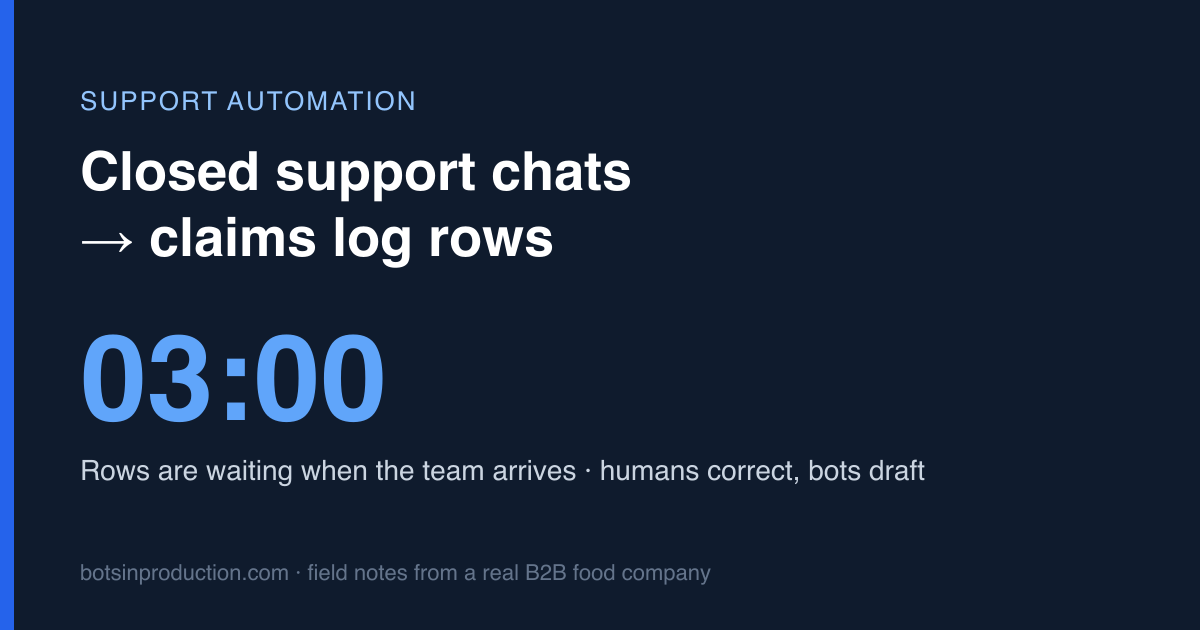
The bot doesn’t replace the person who reads the chat. It replaces the fifteen cells they used to type afterwards, and it does that at 3am so the rows are waiting when they arrive.
Next in this series: the usage-amount bot that answers “how much did we spend in May?” with a number instead of a spreadsheet.