Writing to Google Sheets From a Bot: 5 Service-Account Walls I Hit
A bot writes to our claims sheet through a service account. Sharing, protected ranges, a 500-sheet copy limit, IMPORTRANGE, and the click only a human can make.
A service account is a robot with its own Google email address. You share a sheet with it like a colleague, and it reads and writes like a colleague, except it never asks for a day off. That’s the pitch. Here are the five walls I walked into anyway, in the order I walked into them.
Wall 1: it can’t see anything until you share with it
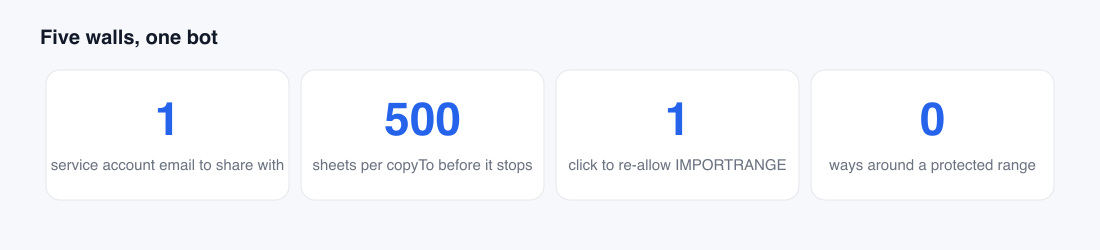
The first error you get is a 403 that says, in effect, “this sheet does not exist”, which is a lie. It exists; the service account just hasn’t been invited. You have to share the sheet with the service account’s email address, the long one ending in iam.gserviceaccount.com, as an editor.
The trap: some companies block sharing outside the domain. Ours does. A service account email is, technically, outside the domain. The fix was an admin exception for that one address, which took longer to get than building the bot did. Budget for that conversation.
Wall 2: protected ranges mean it
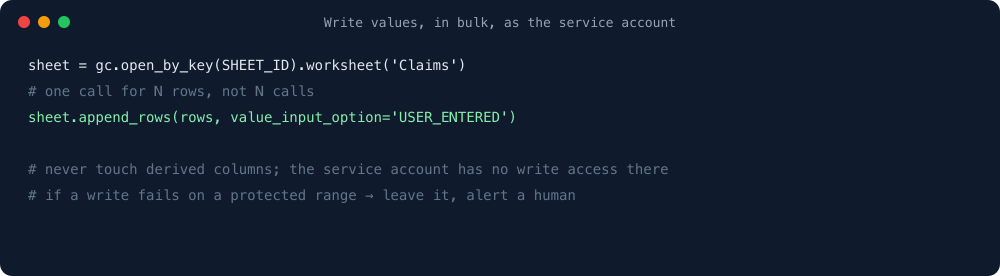
Our claims sheet protects the derived columns so humans get a warning before typing into them. The service account doesn’t get a warning. It gets a hard rejection, the whole batch fails, and nothing is written.
That turned out to be exactly right. The bot should never write to a derived column. So the protection became a feature: the bot’s service account simply isn’t on the allow list for those ranges. If a write ever fails on a protected range, that’s a bug in the bot, and the correct response is to leave the row alone and alert a human, not to go find a way around it.
Wall 3: copyTo stops at 500
We built a merged supplier sheet by copying tabs from two older files into one. The API’s copyTo worked beautifully for the first few hundred tabs and then quietly stopped. The destination file had hit a 500-sheet limit I had not known existed, because why would I.
The fix was to stop copying tabs and start copying data: read the values from each source tab, write them into fewer, wider tabs in the destination. It’s less faithful to the original layout and far more useful, which is a sentence that describes most of this project.
Wall 4: IMPORTRANGE needs a human to click Allow
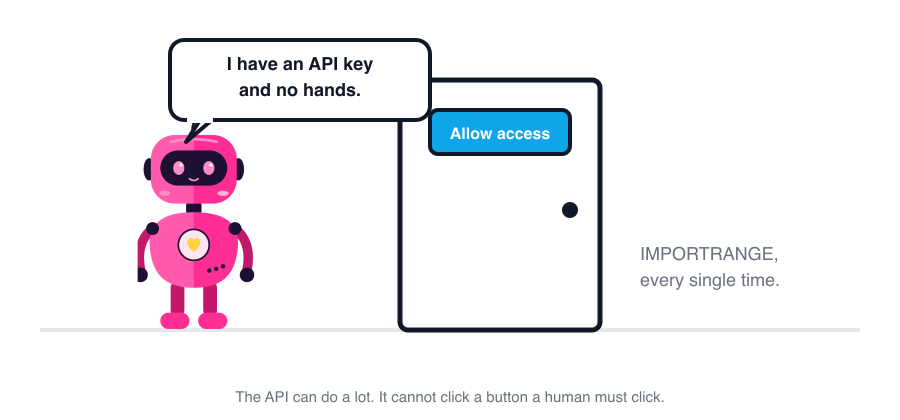
IMPORTRANGE pulls data from another spreadsheet. The first time a given sheet imports from a given source, a human has to open it and click “Allow access”. Once. Per pair. Copy the sheet, and the copy needs the click again.
The API cannot click Allow. There is no endpoint for it. I looked, with real hope. So any sheet the bot creates that contains an IMPORTRANGE arrives with a #REF! in it until someone opens the file and clicks. We now do one of two things: have the bot write the imported values directly instead of using IMPORTRANGE, or put “open it and click Allow” as the last line of the Slack message that announces the new sheet.
Wall 5: per-cell writes are a time-out, not a strategy
The first version of the bot wrote cells one at a time, because that’s how the examples are written. Fifteen cells per row, dozens of rows at 03:00, and the Sheets API quota and the script’s own timeout both had opinions. Now it builds the rows in memory and writes them with one append_rows call. One request, not hundreds. The lookup columns are left for the sheet’s own triggers to fill on a short delay, which is also when the sheet re-checks that nothing was written where it shouldn’t be.
What the bot still can’t do
- Click Allow on
IMPORTRANGE. - Write past a protected range, which is good.
- Be shared with, by itself. A human adds it, once per sheet.
- Know a cell’s dropdown options without reading the validation rule. It reads them from existing rows instead.
Everything else, it does at 3am without complaint. The walls are real, but each one, once you know it’s there, is a one-line rule in the bot and a one-line note in the runbook.
One line from me
None of this is hard. It’s the tedious, soul-sucking grunt work nobody wants to do. Hand every bit of it to the bot.